
Google Business Profile posts give local businesses a simple way to signal freshness, relevance, and activity to both searchers and Google. Used well, they can support local visibility by reinforcing services, locations, and timely updates directly on your profile. The challenge is choosing post types and topics that match what customers need at each stage, from discovery to booking. This guide explains what to post, how often to post, and how to write updates that strengthen local SEO.
Key takeaways
- Frequent, specific posts reinforce services, locations, and seasonal relevance.
- Match post types to goals: Offers drive action, Updates maintain freshness.
- Target high-intent searches using clear constraints, availability, and local cues.
- Use concise copy, one CTA, sharp images, and UTM-tagged links.
- Post weekly, track Insights metrics, and follow content policy rules.
How Google Business Profile Posts Influence Local Search Visibility
Google Business Profile Posts can strengthen local search visibility by keeping your listing active and reinforcing relevance for specific services, products, and locations. Each post adds fresh, indexable content to your profile, which can support discovery searches when people look for businesses like yours rather than your brand name.
Posts work by attaching time-stamped updates to your profile, alongside your categories, services, reviews, and photos. Google can use the post text, images, and call-to-action buttons to understand what you offer right now, while users use posts to judge whether your business fits their needs before clicking through or calling.
Frequent, specific posts help you align with seasonal demand, new stock, limited-time offers, and events without changing your core business details. Posts also create more opportunities for engagement actions, which can lift profile interactions and improve the quality of traffic from local results. Follow Google Business Profile Help guidance to keep content accurate and compliant.
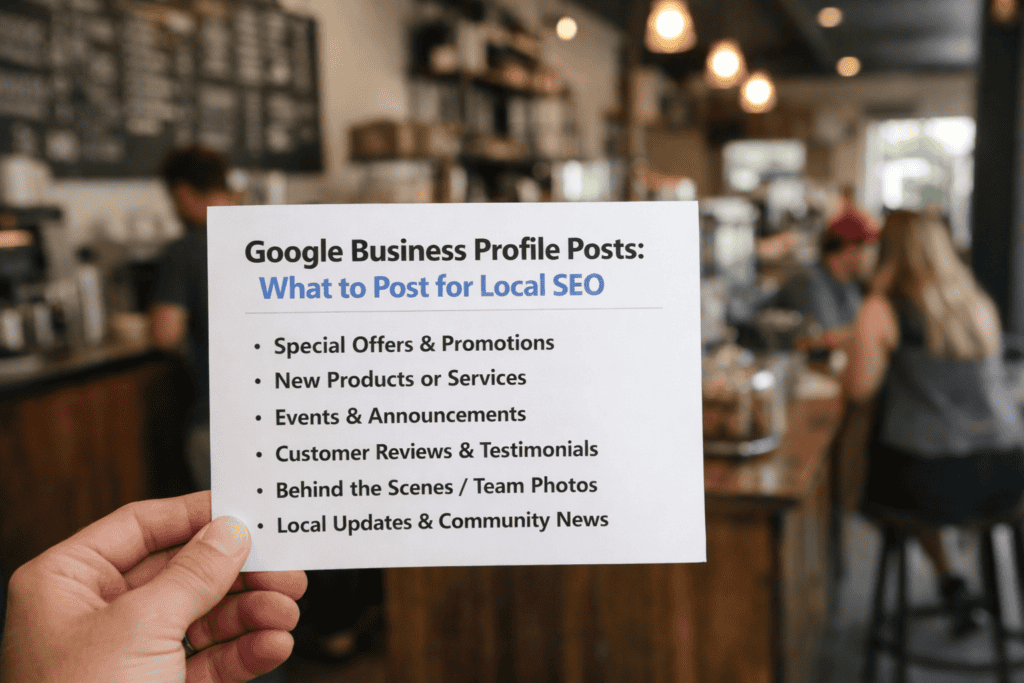
Post Types That Work Best on Google Business Profile (Offers, Updates, Events, Products)
Google Business Profile Posts work best when you match the post type to the goal: Offers drive immediate action, while Updates keep your listing current. Events and Products sit between those two, supporting time-bound visibility and catalogue-style browsing.
Offers suit promotions with a clear end date, a redeemable incentive, and a strong call to action (for example, “Book”, “Call”, or “Order online”). Updates fit operational news such as new services, seasonal hours, staff changes, or a short explainer that answers a common local query. Events work when attendance or timing matters, such as workshops, open days, or limited appointment blocks. Products help when customers compare items before contacting you, especially if you can add a price, short description, and a direct link to a relevant page.
Trade-offs are practical. Offers and Events can go stale fast if dates lapse, which can weaken trust. Updates are safer for most businesses, but vague posts rarely earn clicks. Products take longer to maintain, yet they can reduce friction by pre-qualifying enquiries. Keep each post focused on one action, use a local cue (service area or neighbourhood), and link to the most specific page available.
Content Ideas for High-Intent Local Searches (Services, Stock, Availability, FAQs)
High-intent local searches pair a service with a constraint, such as “same-day”, “in stock”, “open now”, “near me”, or a model number. Google Business Profile posts can match that intent by stating the constraint in the first line, then adding specifics (coverage area, lead time, eligibility, and next step). Keep each post focused on one service or one availability message so Google can map it to a clear query theme.
Write posts like a short service card: name the service, who it is for, and the turnaround time or booking window. Add location signals using real service areas, neighbourhoods, or delivery zones you cover. If pricing varies, publish a “from” price with inclusions and key exclusions.
Availability and stock posts work best with a timestamp and a concrete quantity or status. Avoid vague claims like “plenty available”. Use a clear status line and update or remove the post when the status changes.
FAQ-style posts capture real query phrasing. Turn one question into one post, answer in two to three sentences, and link to the next step (call, message, booking page, or product page). Keep answers consistent with your website and Google Business Profile attributes.
- Services: “Boiler service (gas) – appointments available Tue–Fri – includes safety checks and certificate where applicable.”
- Stock: “iPhone 15 screen protectors in stock – matte and clear – limited quantities – click ‘Call’ to reserve.”
- Availability: “Emergency call-outs available tonight – response times vary by postcode – fees confirmed before dispatch.”
- FAQs: “Do you offer wheelchair access? Yes, step-free entry via side door. Call ahead for parking guidance.”
Use one consistent call-to-action per post and match it to intent: “Book” for fixed slots, “Call” for urgent availability, and “Order online” for confirmed stock. This improves relevance for ready-to-act searches and reduces drop-off from missing details.
Writing and Formatting Rules for Posts (Copy Length, Images, CTAs, Links)
Open with a line that matches search intent and prompts action. Lead with the service plus a local qualifier (area served, timeframe, or constraint), add one clear detail, then a next step. Keep copy tight so the message shows without expanding, and avoid mixing offers.
Use a simple structure: headline-style first sentence, one short paragraph of specifics, then a call to action (CTA). Use plain language, consistent capitalisation, and numerals for prices, dates, and times. If you mention terms (eligibility, exclusions, booking windows), include them in the post.
Choose an image that supports the claim: the product, the team doing the work, or the venue. Use a sharp, well-lit photo with minimal text overlay, and keep branding subtle so the subject stays clear on mobile. If you add text, keep it to a short label that stays readable when cropped.
Set one CTA that matches the outcome: “Call” for urgent enquiries, “Book” for appointments, and “Order online” for products. Link only to the most relevant landing page, and add UTM parameters so Google Analytics can attribute traffic correctly. Avoid link shorteners, generic homepages, and filler text.
Watch for policy and trust issues. Avoid misleading pricing, exaggerated claims, or before-and-after images that may trigger review. Check spelling, dates, and opening hours before publishing, and remove expired offers to prevent complaints and negative reviews.
Posting Cadence, Measurement, and Compliance (Insights, UTM Tracking, Policy Risks)
Post on a predictable cadence so Google sees steady activity and users see current information; weekly suits most local services, while time-sensitive businesses may need several posts per week. Track performance in Google Business Profile Insights, focusing on calls, website clicks, and direction requests, then tie each post to outcomes with UTM-tagged links built in Google’s Campaign URL Builder and reviewed in Google Analytics. Stay within Google’s content policies: avoid prohibited products, misleading claims, phone numbers in the wrong fields, and repeated or templated posts that can trigger removals.
Frequently Asked Questions
How often should you publish Google Business Profile Posts to support local SEO?
Publish 1–2 Google Business Profile Posts per week. Keep a steady cadence so your profile stays active and customers see fresh updates.
Post more often during promotions, events, or seasonal peaks. If time is limited, aim for one high-quality post weekly and update it when details change.
Which Google Business Profile Post types (What’s New, Offer, Event, Product) work best for different local SEO goals?
Match the post type to the action you want.
- What’s New: keep your profile active and highlight updates, photos, and services.
- Offer: drive calls, bookings, and footfall with time-limited deals.
- Event: promote dated activities and increase attendance for local happenings.
- Product: showcase key items to support “near me” and category searches.
What keywords and location details should you include in Google Business Profile Posts without keyword stuffing?
Use one primary service keyword and one supporting phrase that matches the post topic. Add your suburb or city once, plus a clear service area reference (for example, “near [landmark]” or “[postcode]”). Keep names consistent with your Google Business Profile, and avoid repeating the same keyword in every sentence.
How do images, videos, and calls to action in Google Business Profile Posts affect engagement and local rankings?
Use strong visuals and a clear call to action to lift engagement. Sharp images and short videos usually earn more taps, calls, and direction requests, which can signal relevance. Calls to action guide the next step and improve conversions. These elements do not directly change rankings, but higher interaction and fresher activity can support local visibility.
What common Google Business Profile Post mistakes can reduce visibility or lead to post rejections?
Avoid policy triggers and low-quality signals. Posts can be rejected for phone numbers in the description, excessive capitals, misleading claims, prohibited content, or poor images. Visibility can drop when you post rarely, reuse the same text, stuff keywords, or send users to broken or irrelevant landing pages.