

Retargeting can lift conversions, but it can also waste budget when ads keep chasing people who have already bought. A well-built retargeting funnel uses audience exclusions to stop spend at the right moment and focus on prospects still deciding. This guide explains how to structure funnel stages, set clear exclusion rules, and align messaging with intent. The result is cleaner reporting, lower costs, and fewer annoyed customers seeing irrelevant ads.
Key takeaways
- Exclude recent buyers using purchase events, order confirmations, or CRM customer lists.
- Split audiences by intent: product viewers, cart abandoners, and checkout starters need different ads.
- Use short lookback windows for high-intent users to avoid wasted repeat impressions.
- Apply frequency caps and rotate creatives to reduce fatigue and keep costs controlled.
- Build sequential messaging: reminder, proof, offer, then urgency based on time since visit.
- Track performance by segment, not blended ROAS, to spot waste quickly.
Map the Customer Journey and Define Exclusion Rules for Recent Buyers
Map the steps from first visit to repeat purchase, then add an exclusion rule at each point where ads should stop. A journey map turns retargeting into a controlled sequence with clear entry and exit points. Keep prospects moving forward while removing recent buyers from spend-heavy audiences.
Build the map from measurable events, not page guesses. Use analytics and ad platform signals: product view, add to basket, checkout start, purchase, and post-purchase actions such as account creation or subscription activation. In Google Analytics or your site analytics, confirm each event fires once, carries the right parameters (product ID, value, currency), and matches your checkout flow.
Exclusions work when the platform recognises buyers fast. In Meta Business Help Center, exclude people who fired Purchase within your lookback window, and use event-based exclusions over URL rules where possible. In Google Ads Help, exclude “Converters” (or a purchase audience) from retargeting, and keep the conversion action consistent across campaigns.
Match the lookback window to your buying cycle and returns. Short windows cut wasted impressions; longer windows help when refunds, exchanges, or delayed fulfilment are common. For replenishable items, exclude for the typical usage period, then move buyers into replenishment or cross-sell audiences.
- Use a “purchase confirmed” trigger (thank-you page plus server-side event) to avoid excluding failed payments.
- Exclude by product or category so buyers of Product A can still see ads for Product B.
- Apply exclusions at campaign level to prevent overlap as audiences expand.
- Maintain a small “customer suppression” audience that updates daily and reuse it across campaigns.
Clean exclusions reduce frequency, lower cost per acquisition, and stop “buy now” ads after a sale. The same map also guides creative swaps: reassurance near checkout, delivery and returns after purchase, and upsell after fulfilment signals indicate satisfaction.
Set Up Buyer Exclusions in Meta Ads, Google Ads, and LinkedIn Matched Audiences
Meta Ads, Google Ads, and LinkedIn Ads all support buyer exclusions, but they work in different ways. Meta and Google can exclude people based on on-site events (via pixel/tag), while LinkedIn exclusions usually rely on list-based matching through Matched Audiences.
In Meta, exclude purchasers by building a Custom Audience from the Purchase event (or a “thank you” URL if tracking is limited), then apply that audience as an exclusion at the ad set level. Google Ads typically excludes buyers through Audience Manager: create a segment from the purchase conversion event (Google tag or GA4), then exclude that segment from remarketing campaigns and ad groups. LinkedIn usually needs a customer list (hashed emails) or a conversion-based website retargeting audience, then you exclude that audience at the campaign level.
The trade-off is speed versus certainty. Pixel and tag exclusions update quickly but depend on clean event firing and consent settings. List-based exclusions can be more reliable for known customers, but they require regular uploads, stable identifiers, and enough matched volume to work.
Build a Multi-Stage Retargeting Funnel with Time Windows, Creative Rotation, and Frequency Caps
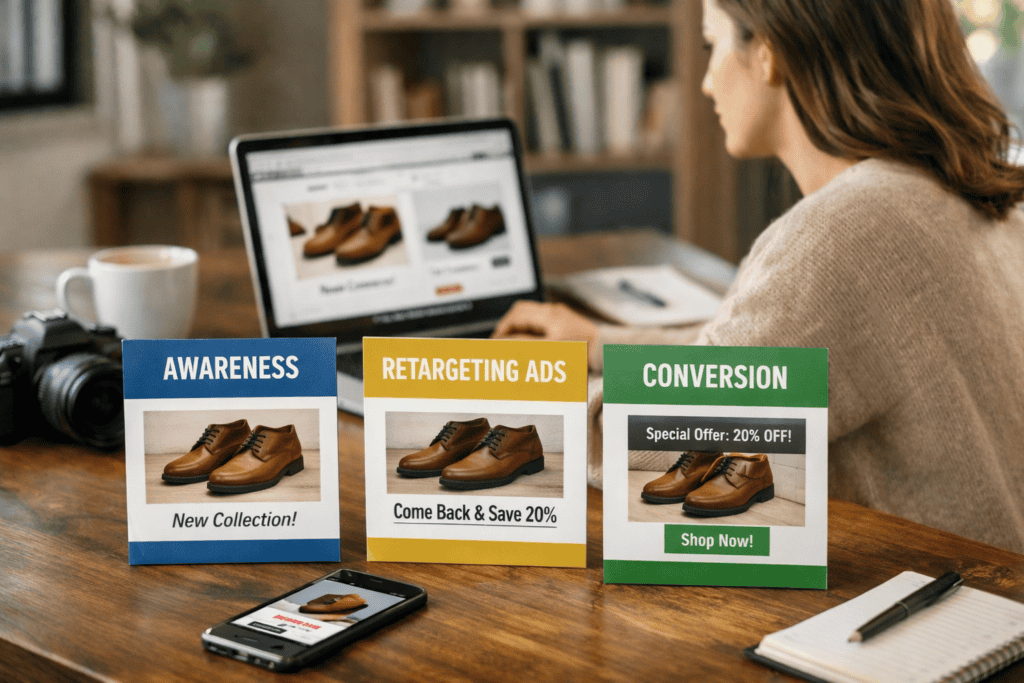
Build the funnel as a sequence of retargeting audiences that unlock by time since the last key event, then tighten delivery with creative rotation and frequency caps. Start with short windows for high-intent actions (for example, product view and add to basket), then extend windows as intent drops. Keep each stage mutually exclusive by using “include” rules for the current window and “exclude” rules for all later-stage events, including Purchase.
Set time windows at the audience level, not only in campaign schedules, so the same person moves automatically as the clock advances. In Meta Ads, use Custom Audiences with retention settings per event; in Google Ads, use segment membership duration for remarketing lists; in LinkedIn Campaign Manager, control recency through list refresh cadence and campaign dates when event-based windows are limited.
Rotate creatives within each stage to prevent fatigue and keep message-match tight: urgency and reassurance early, proof and differentiation mid-funnel, and softer reminders in longer windows. Apply frequency caps at the campaign or ad set level where available, and monitor reach versus frequency to avoid paying for repeated impressions that no longer change behaviour.
This structure reduces wasted impressions, protects buyer exclusions, and keeps spend concentrated on the highest-probability windows.
Monitor Waste and Savings: Audience Overlap Checks, Attribution Review, and Exclusion List Hygiene
Run audience overlap checks every time you change windows, events, or exclusions. In Meta Ads Manager, use Audience Insights to review overlap between each retargeting stage and the buyer exclusion audience. In Google Ads, confirm exclusions at the ad group level and check that “Purchasers” lists apply across all relevant campaigns. If overlap rises, the funnel stops behaving like a sequence and starts bidding against itself.
Review attribution monthly to spot spend that should have been suppressed. Compare platform-reported conversions with your analytics and server-side events, and watch for a jump in view-through conversions on retargeting campaigns. A sudden increase often signals that buyers still qualify for ads, or that the purchase event fires late or inconsistently. Keep an eye on match rates for customer lists, since low match rates weaken exclusions and inflate “waste” impressions.
Maintain exclusion list hygiene with a fixed checklist. Verify the purchase event fires once per order, confirm the event includes a stable identifier (email/phone hash where permitted), and remove duplicate or stale customer records from uploads. Re-test after site releases, consent banner changes, and checkout updates, since these frequently break tags and quietly reopen buyer audiences.
Frequently Asked Questions
How do you identify and exclude recent buyers from retargeting audiences across major ad platforms?
Sync purchase data to each platform, then build an exclusion audience from the “Purchase” event or order confirmation page. Set a short membership window (for example 7–30 days) and exclude that segment from all retargeting ad sets. Keep it accurate by deduplicating users across devices and refreshing the feed daily.
Which data sources should you use to confirm purchases before removing users from retargeting?
Confirm purchases using your server-side order system first, then match it to ad-platform signals. Prioritise sources you control, and use platform data as a cross-check.
- Backend order database or CRM (paid status, order ID, timestamp)
- Payment processor or gateway logs (settled or captured payments)
- Server-side conversion events (Conversions API, offline conversions)
- Analytics purchase events (as a secondary validation)
How long should a buyer exclusion window last for different products and sales cycles?
Match the exclusion window to the typical repeat-buy cycle. Use 7–14 days for low-cost, frequent purchases; 30–90 days for mid-ticket items; and 90–180+ days for high-ticket or long sales cycles. Extend it if onboarding, delivery, or returns take longer than usual.
What retargeting funnel stages work best when buyers are excluded from post-purchase ads?
Use a three-stage funnel focused on non-buyers. Start with a short “hot” stage (1–3 days) for product viewers and cart abandoners. Follow with a “warm” stage (4–14 days) using proof points and objections. End with a “cold” stage (15–30 days) that tests broader offers or content, then pause or cap frequency.
How can you audit and troubleshoot buyer exclusions to prevent wasted retargeting spend?
Start with a match-rate check: compare purchase events in your analytics with the audience size in your ad platform. Verify the exclusion applies at every level (campaign, ad set, and ad) and that the buyer list refreshes on schedule. Test with a recent buyer ID, then review event deduplication, attribution windows, and consent settings.